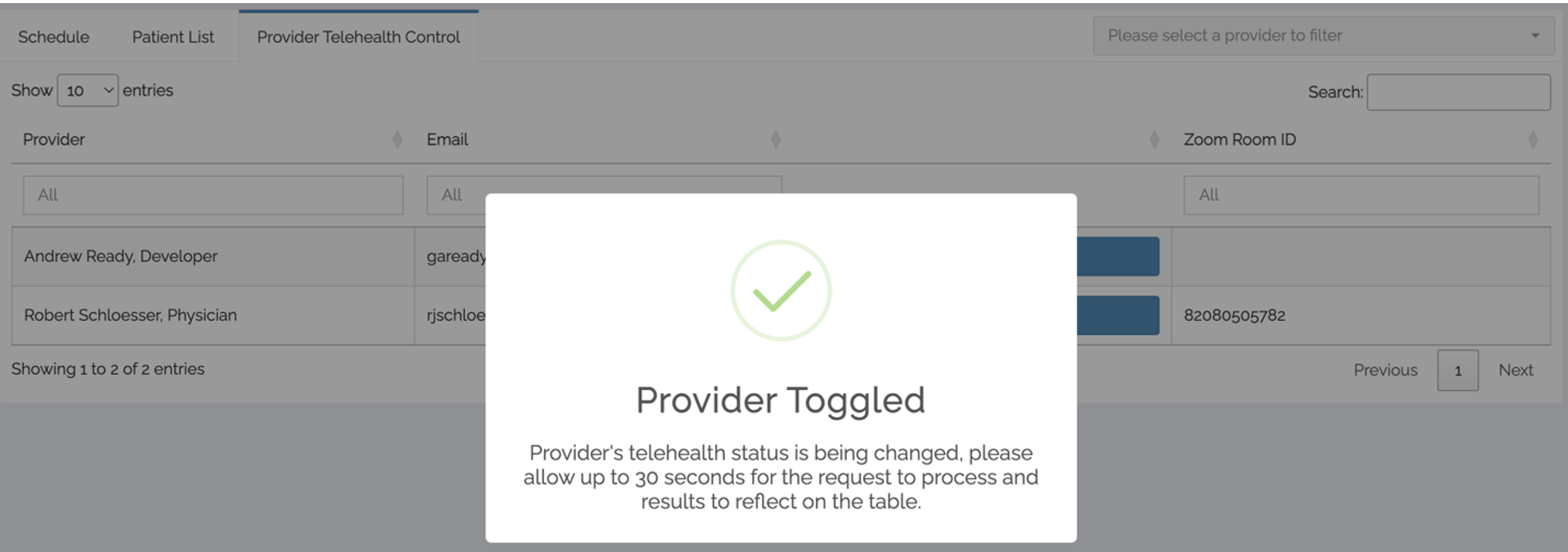
On DMAR Hub, users with the site manager role assigned will see an additional dashboard tab called “Provider Telehealth Control.” This tab will allow users to add providers to telehealth groups for providers associated with the clinics/programs on the dashboard.
Note: This does not impact the provider's access to their Zoom account. This control will only add (or remove) the provider's Zoom account to the appropriate telehealth provider group.
Image
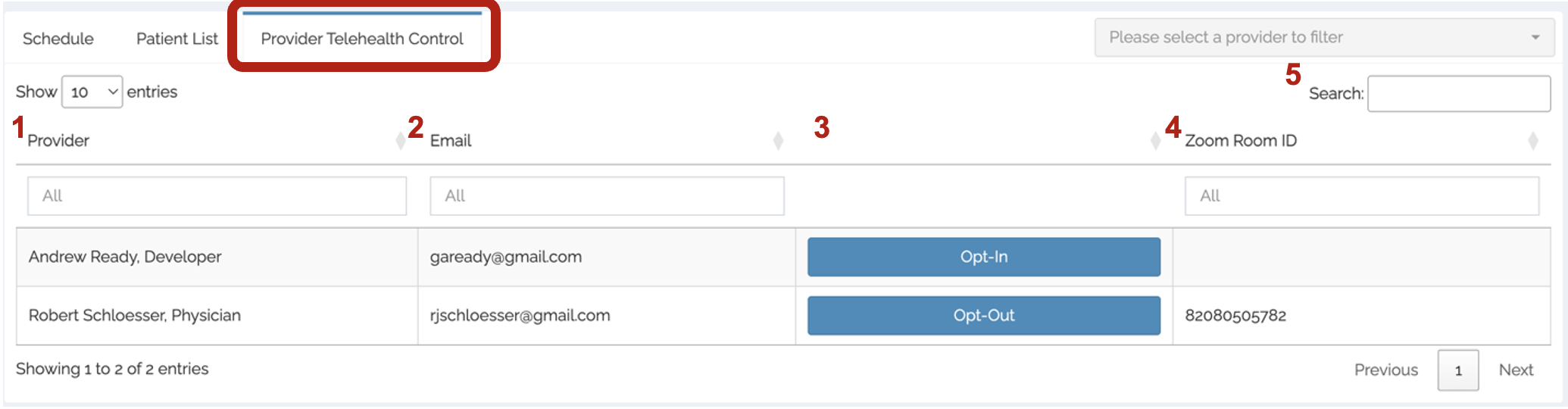
The table presented has several columns and features including:
- Provider – displays provider’s name and role; users can filter for the provider’s name
- Email – displays provider’s Sheppard Pratt email; users can filter for the provider’s email
- Opt-In/Out – displays provider’s telehealth option
- Opt-In – Provider is not in telehealth group; selecting will ADD the provider to the telehealth group and activate their Zoom room
- Opt-Out – Provider is in telehealth group; selecting will REMOVE the provider from the telehealth group and deactivate their Zoom room
- Zoom Room ID – displays provider’s telehealth zoom room ID (not a link); users can filter for the Zoom room ID
- Search – allows users to filter by typing the provider’s name, email, or Zoom room ID
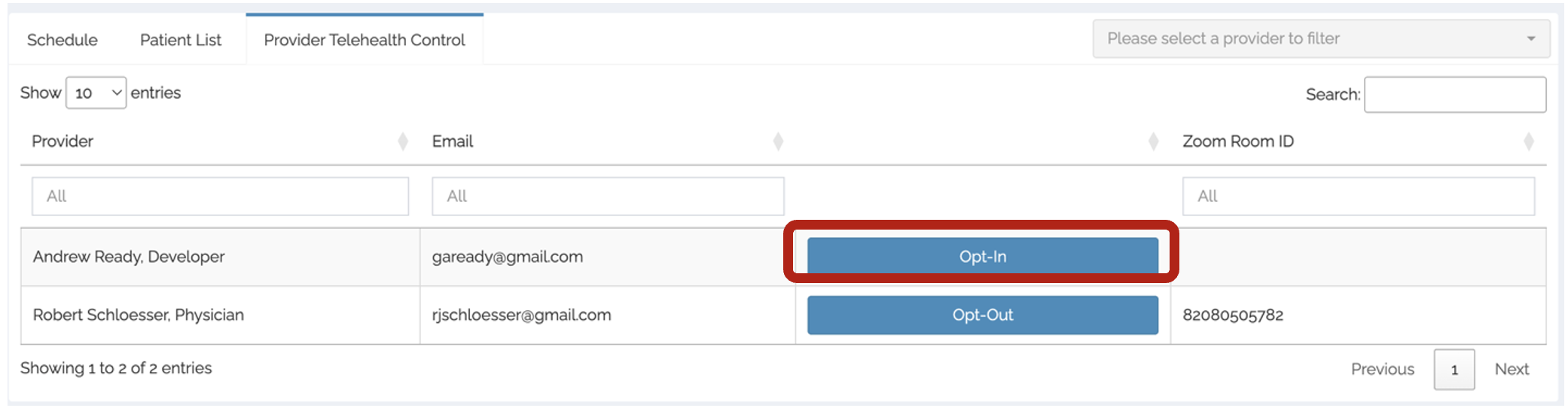
To activate a provider’s Zoom room:
- Search for the provider’s name or email.
- Select “Opt-In.”
- Wait for the table to refresh the providers telehealth status.
Image
To de-activate a provider’s Zoom room:
- Search for the provider’s name or email.
- Select “Opt-Out.”
- Wait for the table to refresh the providers telehealth status.
Image
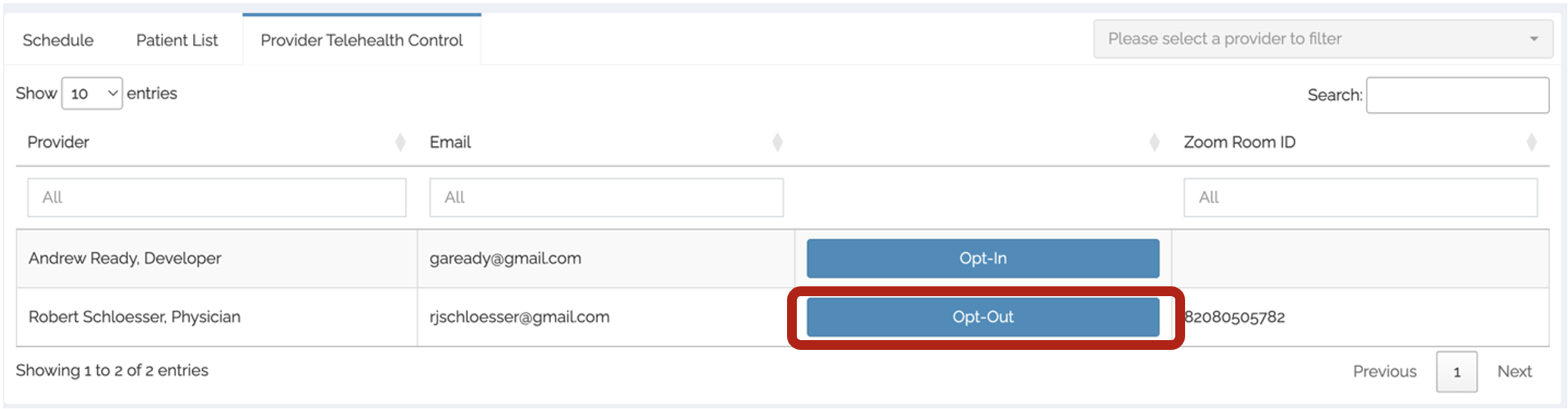
You will see a modal that states the provider’s telehealth status has been updated.
Image